
On this page
Quick answer
ResMed AirSense machines have a label on the back. Philips DreamStation, DreamStation 2 and React Health Luna G3 show the model on screen. For a mask, check the cover of its user guide. Size letters like S, M or L may be on the cushion or packaging.
Most questions about parts start with 2 names: your machine and your mask. This guide shows where the makers’ user guides say to look on common CPAP machines and masks.
What you need
- Your machine, plugged in, so you can see the screen.
- Your mask, plus its box or paper user guide if you still have them.
- A phone to take a photo of each label.
- Good light.
Find your machine’s model name
First, work out which machine you have. The controls tell many of them apart. Then look where the last column points.
| Machine | How to spot it | Where to find the model info |
|---|---|---|
| ResMed AirSense 10 | A dial and a Home button next to the screen | Label on the back (serial number and device number) |
| ResMed AirSense 11 | A touch screen | Device label on the back, near the air outlet |
| ResMed AirMini | A Start/Stop button and a Bluetooth button | Not shown in its user guide; ask your supplier for the model and serial number |
| Philips DreamStation | A control dial; the screen is not a touch screen | Model screen at power-on; My Provider, then Device Info |
| Philips DreamStation 2 | A touch screen | Model screen at power-on; Settings shows the serial number |
| React Health Luna G3 | A knob and a 3.5-inch screen | Patient Menu, then About |
ResMed AirSense 10 and AirSense 11
Turn the machine around. The AirSense 10 user guide shows a label on the back with the serial number and device number. The cover photo of that guide shows the full name, such as AirSense 10 AutoSet, printed on the front of the machine.
The AirSense 11 guide shows a device label on the back, near the outlet where the air tubing connects. Take a photo of the whole label.
ResMed AirMini
The AirMini’s controls are a Start/Stop button and a Bluetooth button. It is designed to work with the AirMini app, but you don’t need the app to run it. Its user guide lists parts made for it, like AirMini tubing and the HumidX (blue) or HumidX Plus (gray).
Its user guide doesn’t show where the model or serial number is printed. Ask your supplier for both.
Philips DreamStation
The model screen shows each time you power it on, right after the Philips Respironics logo. To see the model again, plus the serial number:
- Make sure the air is off.
- From the Home screen, turn the control dial to My Provider.
- Press the dial to open it.
- Turn the dial to Device Info. It shows the serial number, model and software version.
You can’t change settings in the My Provider menu. Some screens only show if they are turned on for your machine.
Philips DreamStation 2
The model screen also shows at power-on, right after the Philips logo. To see the serial number:
- Make sure the air is off. The screen shows a summary of your last session.
- Tap Settings.
- Swipe up or down until you find Serial.
- Tap it to see the serial number.
Tap Back to return to the last session screen.
The Settings list also holds other options. Don’t change your machine’s settings on your own. Ask your supplier.
React Health Luna G3
- Plug in the machine. The main screen shows 5 icons at the top.
- Turn the knob to the fifth icon, Initial Setup.
- Press the knob. The Patient Menu opens.
- Keep turning the knob to About, the last option. The list carries on to a second page.
- Read the Model and SN (serial number). Press the Home button to go back.
The About screen is read-only, but the Patient Menu also holds other options. Don’t change your machine’s settings on your own. Ask your supplier.
The model number tells you which Luna G3 you have. LG3600 is the Luna G3 APAP, and LG3500 is the Luna G3 CPAP.
Model name and serial number are not the same
The DreamStation’s Device Info screen lists the serial number, model and software version as separate items. The Luna G3’s About screen lists Model and SN separately.
Write down both. Your supplier may ask you to read this information to them.
Write down the full name, too. The AirSense 10 user guide covers the AutoSet, AutoSet for Her, Elite and CPAP. The AirSense 11 guide covers the AutoSet, CPAP and Elite.
Find your mask’s name and size
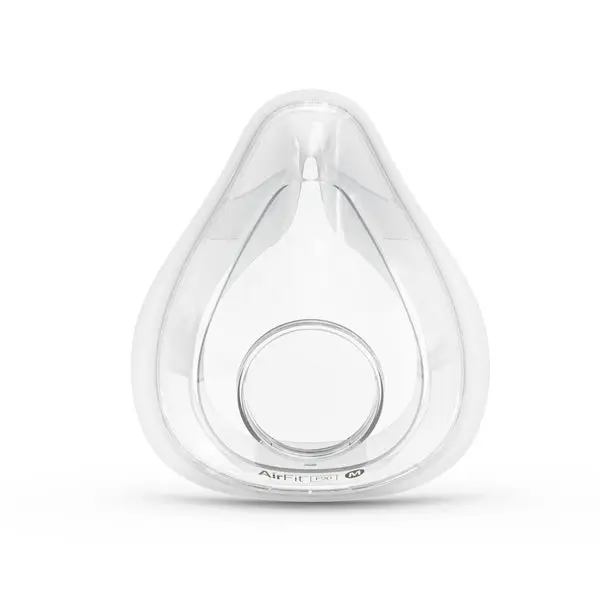
- Find the paper user guide. The mask name is on the cover, for example “AirFit N30i.”
- Copy the full name, every letter and number. ResMed makes both an AirFit N30 and an AirFit N30i, and each has its own user guide.
- Look for size letters on the cushion, frame or packaging.
- Write down the cushion size and the frame or headgear size. Some masks size these parts separately.
| Mask | Cushion or seal sizes | Frame or headgear sizes |
|---|---|---|
| ResMed AirFit N30i and P30i | S, M, L, W and SW across the two cushions (size symbols in the shared user guide) | Standard frame, Small frame |
| Philips DreamWear Full Face | S, M, L and MW | Frame: SM, MED and LG |
| F&P Vitera | Small, Medium and Large seal | Headgear: Small, Medium-Large |
One frame can take more than one kind of cushion. The AirFit N30i and AirFit P30i share one user guide and one frame. The N30i uses a nasal cushion, and the P30i uses a pillows cushion.
So check which cushion you have, not just the frame.
Not sure of your size? The ResMed and Philips user guides use a fitting template or sizing gauge to help you pick one. Your supplier can help, too.
Check it worked
You’re done when you have these written down, or saved in a photo:
- Machine brand and full name, such as “AirSense 10 AutoSet” or “Luna G3 CPAP (LG3500).”
- The machine’s serial number.
- Mask brand and full name, such as “AirFit N30i.”
- Cushion size, and frame or headgear size.
Keep the note with your supplies. Then use it with these guides to match parts:
- Which replacement cushion fits my mask?
- Which water chamber fits my CPAP?
- Standard, SlimLine or heated tubing: which fits?
When to call your supplier
Call the company that supplied your equipment if:
- You can’t find a label or a name, or the label is worn off.
- Your machine shows an error code, won’t turn on, or doesn’t work the way it usually does.
- A menu screen from this guide doesn’t show on your machine.
- You’re not sure which cushion or frame size fits you.
- Your mask has cracks, tears or other damage.
- You want to change an option you see in a menu. Don’t change your machine’s settings on your own.
Parts for this guide
Check the label on your current part, or your user guide, before you order.
-
Mask cushions & pillows ResMed
ResMed AirFit N30i Cushion
$42.99Member price $37.99 How membership works Choose size This product has multiple variants. The options may be chosen on the product page -
Water chambers ResMed
ResMed AirSense 11 Water Chamber (HumidAir 11)
$42.99Member price $37.99 How membership works Add to cart -
Water chambers Philips Respironics
Philips DreamStation 2 Water Tank
$32.99Member price $27.99 How membership works Add to cart

Sources
- ResMed. AirSense 10 User Guide (Americas edition, 3781122). https://document.resmed.com/documents/products/machine/airsense-series/user-guide/3781122_airsense-10_user-guide_amer_multi.pdf
- ResMed. AirSense 11 User Guide (Americas edition, 398291). https://document.resmed.com/documents/products/machine/airsense-11/user-guide/398291_airsense-11_user-guide_amer_multi.pdf
- ResMed. AirMini User Guide (Americas edition, 388138). https://document.resmed.com/documents/products/machine/airmini/user-guide/airmini_user-guide_amer_eng.pdf
- Philips Respironics. DreamStation CPAP, CPAP Pro, Auto CPAP User Manual (U.S. edition, 1120830). https://www.documents.philips.com/doclib/enc/11405972/DreamStation_CPAP_User_Manual.pdf
- Philips Respironics. DreamStation 2 CPAP Advanced / Auto CPAP Advanced User Manual (U.S. edition, 1143581). https://www.philips.com/c-dam/b2bhc/master/landing-pages/src/update/replacement-devices/dreamstation-2/en-us/philips-dreamstation-2-advanced-user-manual.pdf
- React Health. Luna G3 APAP / Luna G3 CPAP User Manual (LG3600 / LG3500, V1.6). https://www.reacthealth.com/uploads/userfiles/files/documents/LG3500%20%26%20LG3600%20Luna%20G3%20C20%20%26%20A20%20w_%20ublox03%204G%20Cellular%20Module%20User%20Manual-V1_6.pdf
- ResMed. AirFit N30i / AirFit P30i User Guide (Americas edition). https://document.resmed.com/documents/products/mask/airfit-n30i-p30i/user-guide/airfit-n30i-p30i_user-guide_amer_eng.pdf
- ResMed. AirFit N30 User Guide (Americas edition). https://document.resmed.com/documents/products/mask/airfit-n30/user-guide/airfit-n30_user-guide_amer_eng.pdf
- Philips Respironics. DreamWear Full Face Mask Instructions for Use (1133318). https://www.documents.philips.com/assets/Instruction%20for%20Use/20260330/db4f7a5d0be24cb79023b41d00f8ac22.pdf
- Fisher & Paykel Healthcare. F&P Vitera Full Face Mask Use and Care Guide (linked from F&P’s U.S. site). https://resources.fphcare.com/content/vitera-use-and-care-guide-ui-185048495.pdf